
Mysterious Dev Tool – Download, Features & System Required

| File Name | Mysterious Dev Tool |
|---|---|
| Size | 29.2 MB |
| Version | v1.1.6 |
| Support Device | Samsung, Xiaomi, Apple, Huawei, Oppo, Vivo, and Google Pixel |
Overview of Mysterious Dev Tool Download
For anyone working with Android smartphones, the most recent version of the Mysterious Dev Tool V1.1.6 stands out as a flexible option. This program assists users with simple mobile repair chores, such as restoring device functionality and getting around security features. Its enhanced features in 2026 make it simpler for non-technical beginners to handle gadget problems. This program provides useful assistance for a variety of Android models, regardless of whether you operate a small repair company or maintain phones as a hobby.
Features
- Remove Factory Reset Protection (FRP) in just a few seconds.
- 100% safe USB-only method. No need to open the back cover, no Testpoints, and no risk of damage.
- Fully supports all Samsung families, including Galaxy Z Fold / Z Flip, Galaxy S, Note, A, M, F, and J series.
- Works flawlessly on any carrier, region, or country code worldwide.
- upports all Android versions from Android 5 up to Android 15 (Security patches up to 2024).
Screenshots

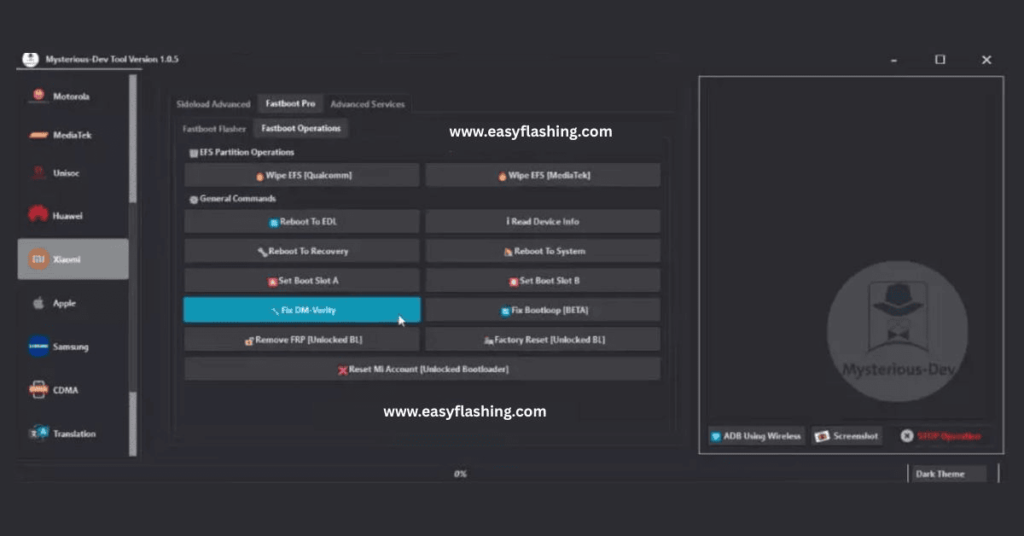

System Requirements
| Operating System | Windows 10, Windows 11 |
|---|---|
| RAM | 4 GB minimum. |
| Processor | Intel Core or AMD Ryzen processor |
| Storage | At least 500 MB |
| .NET Framework | .NET Framework 4.8 |
| USB Driver | The software comes packaged with its own multi-chipset driver installer helper. |
FAQs
The Mysterious-Dev Tool V1.1.6 latest version helps with Android device repairs. You use it for tasks like bypassing FRP, repairing IMEI, flashing firmware, and unlocking networks. It suits beginners needing simple tools for common issues.
Download from the official site at [https://www.mysterious-dev.com/download.html](https://www.mysterious-dev.com/download.html). Verify the file and scan for safety. Avoid unofficial sources to prevent risks.
It supports many brands like Samsung, Xiaomi, OPPO, and Vivo. Check the models list on the official site. It works with MediaTek, Qualcomm, and other chipsets.
Yes, when used correctly on owned devices. Always back up data and follow legal guidelines. The tool includes safety checks to minimize risks.
The update adds universal FRP MTP Browser, direct app launches, new ADB services, MDM removals, and Samsung translation. It improves speed and compatibility for 2026 devices.