
HalabTech Tool Download – Latest Version & Features

| File Name | HalabTech Tool |
|---|---|
| Size | 274 MB |
| Version | v1.1.6 |
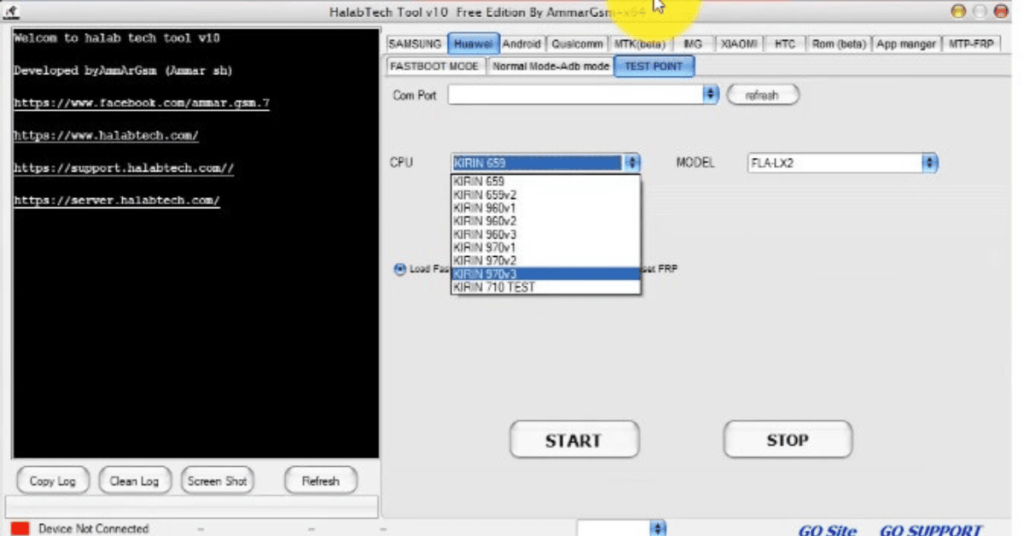
| Support Device | Samsung, Xiaomi, Apple, Oppo, Vivo, Huawei, and Motorola |
Overview of HalabTech Tool Download
Mobile repair technicians and experienced users frequently utilize the HalabTech Tool, a Windows-based Android service and repair tool, to identify, unlock, and resolve software problems on Android smartphones. It supports a variety of Android phones and systems, integrating several features into a single software suite.
Features
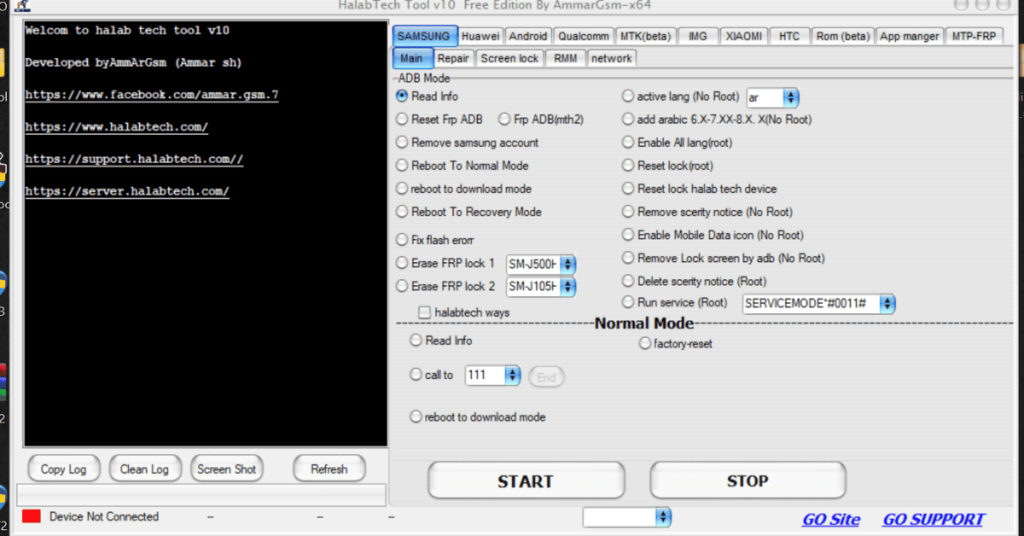
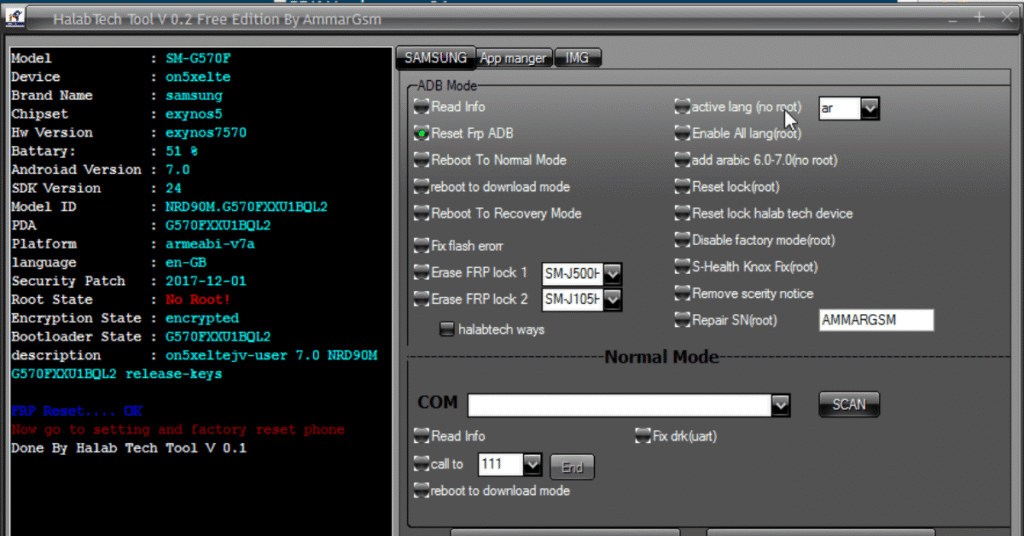
- HalabTech Tool can quickly remove Google FRP (Factory Reset Protection) lock from Android phones without requiring credentials.
- Unlock network-locked devices and remove different screen locks, such as PIN, password, and pattern.
- Fix common system issues and update software for device recovery.
- Restore or repair lost or corrupted IMEI on supported devices, troubleshooting network connectivity issues.
- Get administrative access to customize Android systems.
Screenshots
System Requirements
| Operating System | Windows 7, 8.1, 10, or 11 |
|---|---|
| RAM | 4 GB minimum |
| Processor | Intel or AMD Dual-Core processor |
| Storage | 500 MB |
| .NET Framework | .NET Framework 4.5 |
| USB Driver | Essential for EDL (Emergency Download) mode flashing on Qualcomm devices. |
FAQs
You can download the latest HalabTech Tool V1.1.6 from HalabTech website. Once downloaded, extract the .rar or .zip file and follow the installation instructions. Make sure to install the necessary USB drivers and temporarily disable antivirus software to avoid issues.
HalabTech Tool is safe when used correctly. However, some advanced operations may carry risks or brick your device if not performed properly. Always follow the instructions carefully and back up your data beforehand.
Yes. HalabTech Tool supports FRP bypass for many Android devices, including Samsung, Huawei, OPPO, Tecno, Xiaomi, and more. Simply install the HalabTech V1.1.6 file on your computer, connect the device, select the FRP lock removal option, and follow the on-screen instructions to bypass the Google account verification.
Yes. If you're looking to unlock your Android phone or tablet, one reliable alternative is Android Unlocker. It offers user-friendly experience for removing all types of Android locks, such as passwords, PINs, patterns, face IDs and FRP locks. Also, it supports a wide range of Android devices, including Samsung, Motorola, OPPO, Xiaomi, LG, Huawei, and more.