
HSD AIO Tool Download – Latest Version for Windows

| File Name | HSD AIO Tool |
|---|---|
| Size | 50 MB |
| Version | v1.0.4 |
| Support Device | Oppo, Vivo, Xiaomi, and Samsung |
Overview of HSD AIO Tool Download
While looking through some new Android servicing tools, I discovered the HSD AIO Tool. I initially believed it to be just another little FRP tool, but as I opened it, I saw that it had numerous modules. I installed the application on my Windows computer, examined all of the menus, and verified the features displayed within the program before composing this piece.
Features
- Removes factory resets, FRP (Factory Reset Protection), Samsung Knox (KG) bypass for Android 11–13, and corporate MDM locks for Android versions up to 15.
- Handles advanced firmware writing for MediaTek (MTK) and Qualcomm chipsets.
- Features a smart binary editor with built-in auto-patching logic.
- Performs hardware storage health checks (EMMC and UFS status) along with standard ADB/Fastboot operations.
- Supports IMEI repair and network calibration.
Screenshots
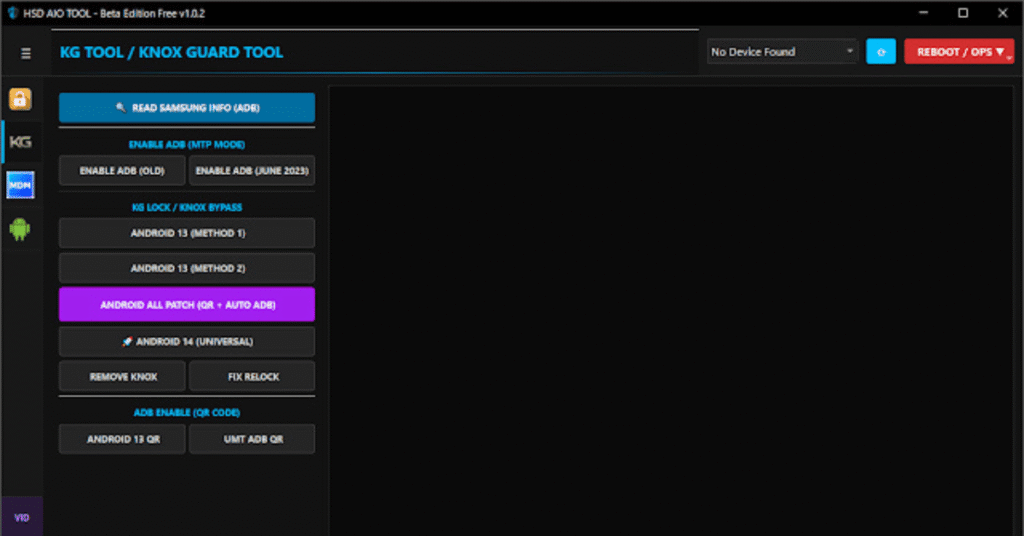
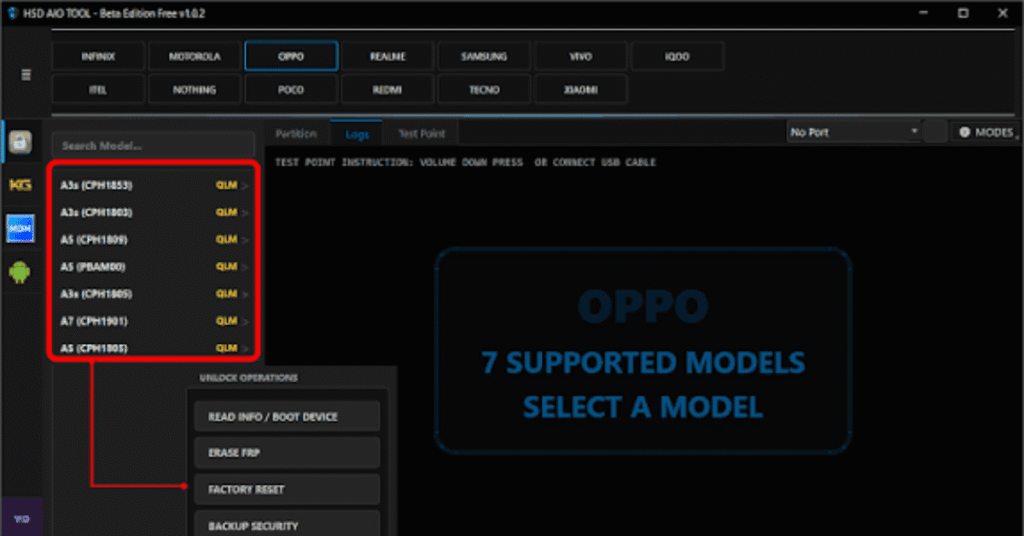
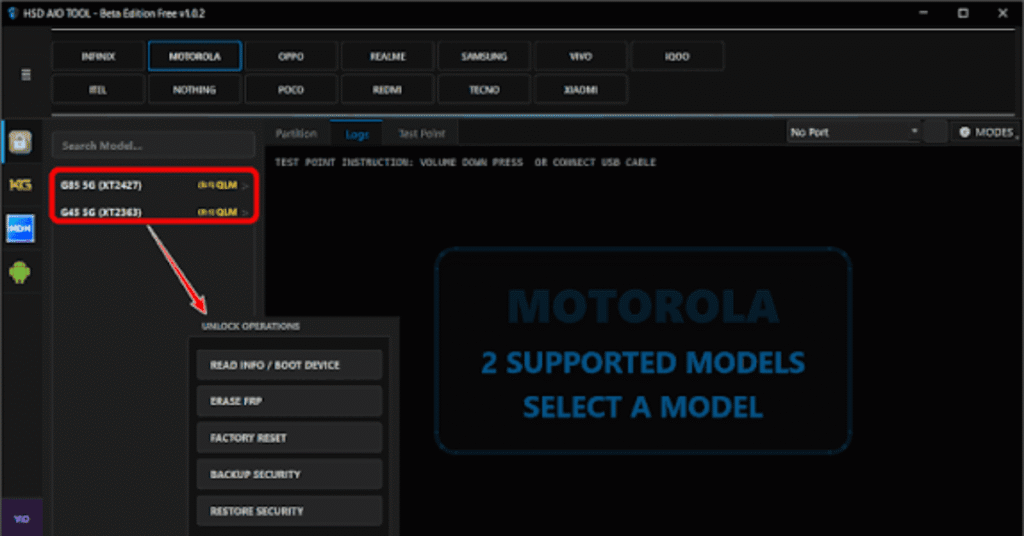
System Requirements
| Operating System | Windows 7, 8, 10, or 11 (64-bit recommended) |
|---|---|
| RAM | 4 GB RAM |
| Processor | Intel Core i3 |
| Storage | 2 GB |
| .NET Framework | .NET Framework 4.5 |
| USB Driver | All-in-One USB Driver Pack |
FAQs
It is a multi-functional software utility that combines five main modules into a single interface: Unlocking, Flashing, Hex & Dump, Diagnosis, and Security. It supports MediaTek (MTK), Qualcomm, and Spreadtrum (SPD) CPU-based devices.
USB drivers are missing or outdated.Faulty USB cable or port.Device is not properly connected in the correct mode (such as ADB, Fastboot, or EDL mode).
Make sure you have extracted all setup files completely from the archive before running the application, verify that your Windows account has administrative permissions, and check that all required runtime dependencies are installed.